MIG Meter Installation App
Data is king.
Make sure yours is perfect from the first meter to the last. MIG's installation app puts decades of mass meter installation experience into one simple phone and tablet app, so every install is captured right the first time.
What it does
Everything an install crew needs. Everything the office wants to see.
Built from the first mass meter installation software ever used in the industry, refined over hundreds of thousands of installs.
iOS and Android
Runs on the phones and tablets your crews already carry.
Syncs to the cloud
Every install lands in one database, not on a clipboard.
Barcode data entry
Scan serial numbers instead of typing them. No transposed digits.
Photos of every install
The old meter read and the finished site, on record.
GPS on every meter
Exact locations captured at the time of installation.
Installer tracking
Time and date stamps show who did what, and when.
Utility portal
Monitor and review the work in near real time from your office.
Priced by the project
Affordable pricing, quoted for your project.
Why it matters
A meter project can be a nightmare or a dream.
Much of that depends on the data.
It is impossible to collect data on paper without significant mistakes. The most competent person alive will transpose numbers and leave out digits over the course of an install. Then someone keys it all in again for billing, and the same mistakes get a second chance.
Electronic collection is the only way to go. It is fast, clean, and goes straight to your billing software provider. It also speeds up the work, because installers can find meters and plan their route before they roll.
The app captures GPS, photographs the old meter read so it can be checked against what was recorded, photographs the site, walks the installer through each step in order, helps track inventory, and lets the utility watch progress as it happens.
In the field · 01
Account information, in order
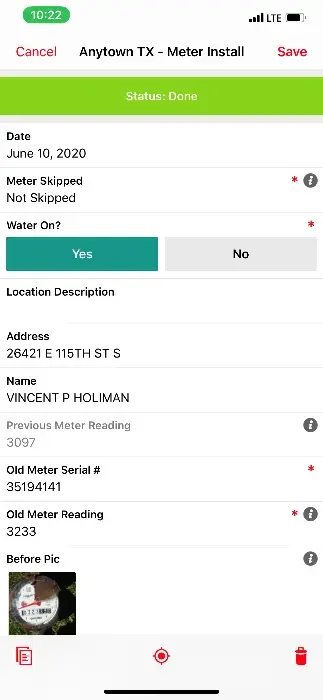
Accounts are ordered for the installer to keep the work flowing. The app uses the address, old meter serial number, and previous read to positively identify the right meter before it is changed.
Critical data and photos are linked to the account record and visible to the utility in near real time.
In the field · 02
Find every meter. Track every pin.
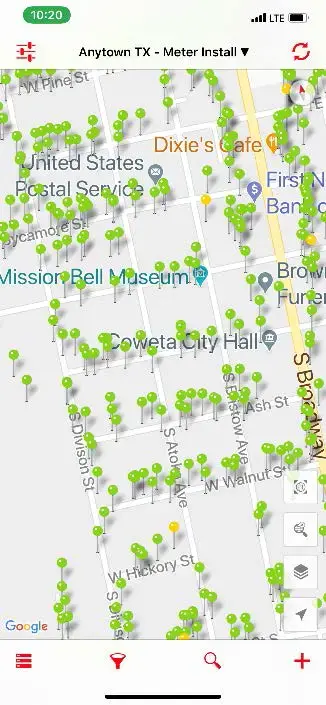
Meter locations are mapped before the installation starts, so installers can find them fast. Precise GPS points are recorded at the time of install.
As each account's status changes, its map pin changes color, so everyone knows what is done and what is left.
In the office · 03
Your utility portal
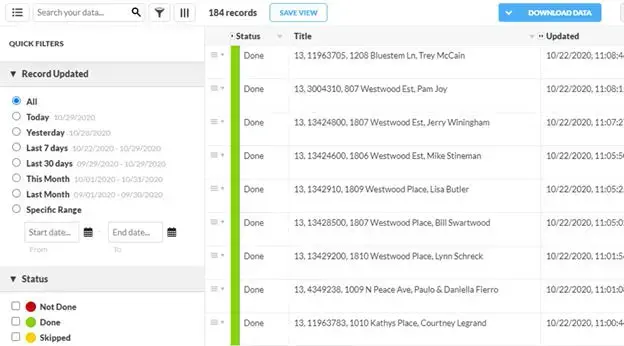
Log in any time to see every installed account: old meter out-reads, photos, and time and date stamps.
Your office has the answers when customers call, and billing stays smooth all the way through the project.
In the office · 04
Progress at a glance
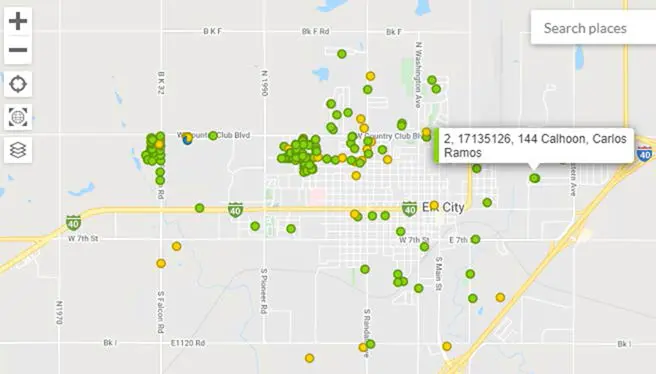
The portal map shows the whole project at once. Pin colors change to show meters completed, skipped, or still to do.
Quality control · 05
Data scrubbing
On every RG3 Meter Company project, collected data is cross-checked against shipping manifests, so every new serial number is recorded correctly and every meter shipped is accounted for.
Old meter reads are checked against previous billing reads to make sure they are in line, and discrepancies go back to the installer routinely to be verified or corrected.
Hand-off · 06
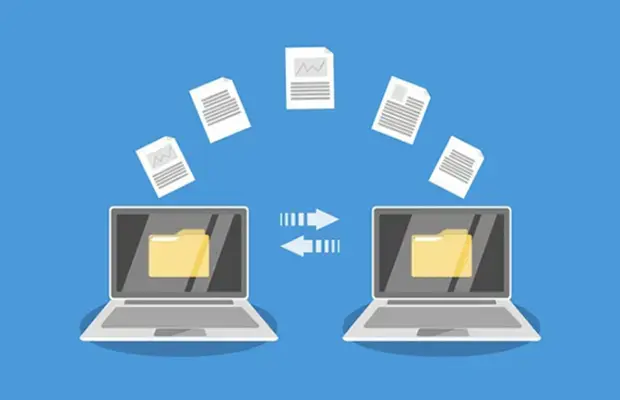
Straight to billing
Installation data transfers to your billing software provider on a schedule you set.
Entering data by hand? It is always available as an Excel download.
Trusted on hundreds of installation projects
Take the headache out of your meter project.
Ask for a project quote, or request our bid specification in Word for your next meter installation bid.